- Messages
- 36
- Reactions
- 41
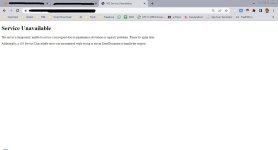
Has anyone experienced the same thing when importing sales?
Reacted by:




Could it be a bug? Which version are u using?
v.6.1 (latest).Could it be a bug? Which version are u using?
v6.1 is not the latest, or did u mean v6.11?v.6.1 (latest).
When I first imported sales, everything went fine until I was prompted to select a business location and other information. However, the upload process didn't complete and an error like that appeared. After I tried to re-upload, the same error immediately appeared.
v6.1 is not the latest, or did u mean v6.11?
By the way, I imported too much sales data, which caused this error. After I tried splitting the sales data, everything worked fine. Thank you for your help.ULTIMATE-POS (6.11) NULLED
Download the UPOS version 6.11 nulled. Enjoy.
*** Hidden text: cannot be quoted. ***


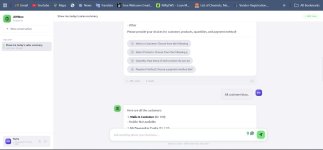
Hey Champs,I have made an AI agent for ultimate POS this is running on mistral 7B but u can use chatgpt or anyother models
I need all latest plugins to make it fully working for plugins also.


what is Envato Purchase CodeULTIMATE-POS (6.12) NULLED
Download the UPOS version 6.12 nulled. Enjoy.
*** Hidden text: cannot be quoted. ***
Hi, actually that's tough there are 30+ modules for UPOS some from the author and some from third part agencies/deelopers, it would have been better if U could list out the modules U need, then it can be easier for a person to see if he/she have them, but saying u need all, that's tough, who could have all of them, but maybe there is, let's continue hoping...I need all the latest modules pls share with me.
Hello,I need all the latest modules pls share with me.