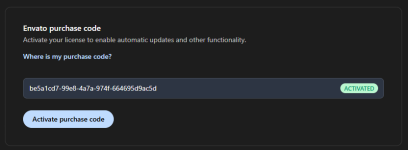
its nulled don't worry to remove this notice reffer this https://nullcave.club/threads/bedes...lpdesk-ticketing-system-vebto.1951/post-98958
INDTECH 's signature


![BeDesk - Customer Support Software & Helpdesk Ticketing System [Vebto]](/data/resource_icons/1/1843.jpg?1665683122)

its nulled don't worry to remove this notice reffer this https://nullcave.club/threads/bedes...lpdesk-ticketing-system-vebto.1951/post-98958

its nulled don't worry to remove this notice reffer this https://nullcave.club/threads/bedes...lpdesk-ticketing-system-vebto.1951/post-98958
okk if you face error than i'll going to re-chake it no problem just wait.Its not nulled.. If I want to change any thing it give me this error ( CSRF token mismatch. )
Please help me to null it ..
Regards,,

No, this is not the null. READ up on csrf tokens and cross browser scripting.Its not nulled.. If I want to change any thing it give me this error ( CSRF token mismatch. )
Please help me to null it ..
Regards,,
its nulled script dear, its your browser problem just clane cache and cookie of browser and than try it. remove the license notice "/common/foundation/src/Admin/SiteAlertsController.php" line 32-51 remove these line's.Its not nulled.. If I want to change any thing it give me this error ( CSRF token mismatch. )
Please help me to null it ..
Regards,,

Was the linked support faq unhelpful? Can you not rwcreate the .htaccess usong the info they provide? Is the htaccess.example file missing?hi
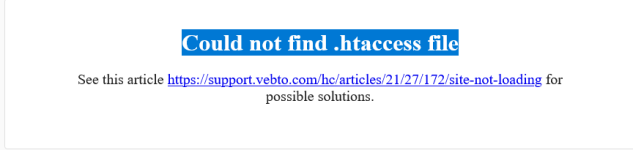
after upload and run to install i got below error
Could not find .htaccess file

Unfortunately not.Was the linked support faq unhelpful?
With which information? No explanation on how to create the file has been provided.Can you not rwcreate the .htaccess usong the info they provide?
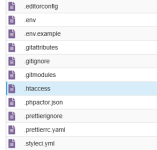
There is no file with that name, but the .htaccess file already exists — it just seems like it's not being recognized.Is the htaccess.example file missing?
welcome and keep support out community nullcave.This is the best..
Thanks..
npm run buildwelcome and keep support out community nullcave.
why need to run this command just upload script and install it man no problem in script.npm run build
npm run dev
Are there any errors reported with these two commands?
I need to modify some code logic, such as deleting the registration and login process, adding text and links to certain pages, etc. Therefore, please help me test whether these two commands work smoothly and without errors.why need to run this command just upload script and install it man no problem in script.
when the script devloper denied to do custom work how i'll guide you to change anything.I need to modify some code logic, such as deleting the registration and login process, adding text and links to certain pages, etc. Therefore, please help me test whether these two commands work smoothly and without errors.
I've figured it out. The `npm install` error was caused by the `package.json` and `package-lock.json` files in the root directory. After fixing them, `build` and `dev` can be used.when the script devloper denied to do custom work how i'll guide you to change anything.