<?php

namespace Xgenious\Installer\Http\Controllers;

use Illuminate\Http\Request;
use Illuminate\Routing\Controller;
use Illuminate\Support\Facades\Http;
use Illuminate\Support\Facades\Storage;
use Illuminate\Support\Facades\Validator;
use Xgenious\Installer\Helpers\InstallationHelper;
use Xgenious\Installer\Helpers\CacheCleaner;

class InstallerController extends Controller
{
    public function index()
    {
        if (!InstallationHelper::isInstallerNeeded()) {
            return url("/");
        }
        return view("installer::installer.index");
    }

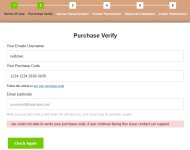
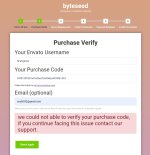
public function verifyPurchase(Request $request)
{
    // 1. Basit doğrulama yine dursun (istersen bunu da kaldırabilirim)
    $validation = Validator::make($request->all(), [
        "en_email" => "nullable|email",
        "en_username" => "required",
        "en_purchase_code" => "required",
    ]);

    if ($validation->fails()) {
        return response()->json([
            "type" => "danger",
            "msg" => "username or purchase code missing",
        ]);
    }

    // 2. database.sql dosyasını oluştur (fake içerik eklenebilir)
    try {
        Storage::disk("local")->put("database.sql", "-- fake sql created\n");
    } catch (\Exception $e) {
        // hata bastırıldı
    }

    // 3. Doğrudan success döndür
    return response()->json([
        "type" => "success",
        "msg" => "Verification Success",
    ]);
}

    public function checkDatabase(Request $request)
    {
        $validation = Validator::make($request->all(), [
            "db_name" => "required",
            "db_username" => "required",
            "db_host" => "required",
            "db_password" => "nullable",
        ]);
        if ($validation->fails()) {
            return response()->json([
                "type" => "danger",
                "msg" => "make sure you have enter all the database details",
            ]);
        }
        $db_connection = InstallationHelper::check_database_connection(
            $request->db_host,
            $request->db_name,
            $request->db_username,
            $request->db_password
        );
        if ($db_connection["status"] === false) {
            return response()->json([
                "type" => "danger",
                "msg" => $db_connection["msg"],
            ]);
        }
        // Implement database connection check
        return response()->json([
            "type" => "success",
            "msg" => "Database connection successful",
        ]);
    }

    public function install(Request $request)
    {
        $validation = Validator::make($request->all(), [
            "db_name" => "required",
            "db_username" => "required",
            "db_host" => "required",
            "db_password" => "nullable",
            "admin_email" => "required",
            "admin_password" => "required",
            "admin_username" => "required",
            "admin_name" => "required",
        ]);
        if ($validation->fails()) {
            return response()->json([
                "type" => "danger",
                "msg" =>
                    "make sure you have enter all the database and admin informtaion",
            ]);
        }

        $keyValuePairs = [
            "APP_DEBUG" => "true",
            "APP_URL" => trim(url("/"), "/"),
            "DB_HOST" => $request->db_host,
            "DB_DATABASE" => $request->db_name,
            "DB_USERNAME" => $request->db_username,
            "DB_PASSWORD" => is_null($request->db_password)
                ? ""
                : '"'.$request->db_password.'"',
            "BROADCAST_DRIVER" => config("installer.broadcast_driver", "log"),
            "CACHE_DRIVER" => config("installer.cache_driver", "file"),
            "QUEUE_CONNECTION" => config("installer.queue_connection", "sync"),
            "MAIL_PORT" => config("installer.mail_port", "587"),
            "MAIL_ENCRYPTION" => config("installer.mail_encryption", "tls"),
        ];
        $tenant_msg = "";
        if (config("installer.multi_tenant", false)) {
            $keyValuePairs["CENTRAL_DOMAIN"] = $request->getHost();
            $keyValuePairs["TENANT_DATABASE_PREFIX"] =
                \Str::kebab(config("installer.app_name", "multitenant")) . "_tenant_db_";
            $tenant_msg =
                'do not forget to setup wildcard subdomain in order to create subdomain by the system automatically <a target="_blank" href="https://docs.xgenious.com/docs/nazmart-multi-tenancy-ecommerce-platform-saas/wildcard-subdomain-configuration/"><i class="las la-external-link-alt"></i></a>';
        }

        //generate env file based on user and config file data
        InstallationHelper::generate_env_file($keyValuePairs);
        $db_host = $request->db_host;
        $db_name = $request->db_name;
        $db_user = $request->db_username;
        $db_pass = $request->db_password;
        // write helper for insert sql file
        $db_import = InstallationHelper::insert_database_sql_file(
            $db_host,
            $db_name,
            $db_user,
            $db_pass
        );
        if ($db_import["type"] === "danger") {
            InstallationHelper::reverse_to_default_env();
            return response()->json([
                "type" => "danger",
                "msg" => 'failed to update env',
            ]);
        }
        $admin_email = $request->admin_email;
        $admin_password = $request->admin_password;
        $admin_username = $request->admin_username;
        $admin_name = $request->admin_name;

        //write helper for create admin using the admin info
        InstallationHelper::create_admin(
            $admin_email,
            $admin_password,
            $admin_username,
            $admin_name,
            $db_host,
            $db_name,
            $db_user,
            $db_pass
        );

        // remove cache file
        CacheCleaner::clearAllCaches();

        //remove demo middleware
        InstallationHelper::remove_middleware('\App\Http\Middleware\Demo::class');

        $msg =
            "Installation Successful, if you still see install notice in your website, clear your browser cache ";
        $msg .=
            '<a href="' .
            url("/") .
            '">visit website</a> <p>' .
            $tenant_msg .
            '. setup cron job for subscription system work properly here is article for it <a target="_blank" href="https://docs.xgenious.com/docs/nazmart-multi-tenancy-ecommerce-platform-saas/cron-job/"><i class="las la-external-link-alt"></i></a></p>'; //write instruction message for multi tenant or normal script
        return response()->json(["type" => "success", "msg" => $msg]);
    }

    public function checkDatabaseExists()
    {
        // check database.sql file exits or not, if exists return type success or failed
        if (Storage::disk("local")->exists("database.sql")) {
            return response()->json([
                "type" => "success",
                "msg" => "database.sql file found",
            ]);
        }
        return response()->json([
            "type" => "danger",
            "msg" =>
                "Your installation file <strong>database.sql</strong> file is missing, redownload files from codecanyon, or contact support",
        ]);
    }
}