
What's new
  • The default language of any content posted is English.
    Do not create multi-accounts, you will be blocked! For more information about rules, limits, and more, visit the Help page.
    Found a dead link? Use the report button!

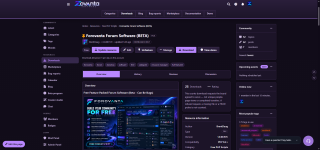
Forovanta - Free Forum Software (PHP Sctipt)

Messages
242
Reactions
67
Website
dragocom.xyz
promo01.png

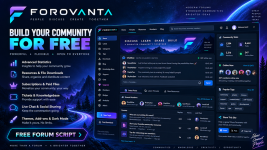
Build a place where conversations grow, knowledge stays searchable and members have a reason to return.

Forovanta is free, self-hosted forum software that brings discussions, downloads, community chat, private messaging and publishing together in one platform. Whether you’re creating a hobby community, a software support forum or a home for creators, Forovanta gives you the tools to organize content and keep people connected.

Members can join discussions, share resources, follow topics, customize their profiles and connect privately. Administrators can shape the experience through permissions, moderation, themes, editable navigation and optional add-ons.

Built with PHP and MySQL, Forovanta runs on your own hosting, with your community’s content stored in your own database. Start with the features you need and expand as your community grows.

Forum Discussions

  • Categories and nested subforums.
  • Rich-text topic and reply editor.
  • Images, attachments, links and formatted content.
  • Topic polls.
  • Likes and member mentions.
  • Pinned, locked and featured topics.
  • Topic views, reply counts and recent activity.
  • Thread-owner identification.
  • Colorful tags and tag browsing.
  • Prefixes, suffixes and category-scoped labels.
  • Watching, Tracking and Muted topic preferences.
  • Topic and post bookmarks.
  • Saved topic and reply drafts.
  • Community search.
  • Notification inbox.
Member Profiles and Communication

  • Member registration, login and password recovery.
  • Card-based member directory.
  • Individual member profiles.
  • Avatar uploads with cropping controls.
  • Cover-image uploads and repositioning.
  • Member signatures.
  • Online-member displays.
  • Private conversations with up to 20 participants.
  • Unread message and notification indicators.
  • Personal notification and email preferences.
  • User-group colors, icons and banners.
  • Trust levels.
  • Automatic and staff-awarded badges.
Community Chat

  • Homepage chatbox.
  • Dedicated chat page.
  • Multiple chat rooms.
  • Chat rules and settings.
  • Member mentions and alerts.
  • Staff moderation tools.
  • Chat bans and mutes.
  • Word-filter enforcement.
Resource Manager

  • Dedicated Downloads area.
  • Resource categories.
  • File uploads and optional external download links.
  • Resource titles, descriptions and listing types.
  • Icons, cover images and screenshots.
  • Resource versions and download history.
  • Download counts.
  • Tags, prefixes and suffixes.
  • Featured resource shelf.
  • Member submission review.
  • Configurable publishing and download permissions.
  • Configurable file extensions and upload limits.
  • Resource editing.
  • Free and paid resources through supported payment flows.
  • A General Downloads category on fresh installations.
Publishing and Community Support

  • Blog posts and categories.
  • Custom pages with a widget builder.
  • Knowledge Base content.
  • Support ticket management.
  • Terms-of-service management.
  • RSS feeds.
Moderation and Permissions

  • Topic and post reporting.
  • Staff moderation queues.
  • Pin, lock, feature, move and delete topic controls.
  • Hide, restore and delete post controls.
  • Moderation audit records.
  • Group-based category permissions.
  • Submission approval controls.
  • Configurable word filters.
  • Censor, block, hold-for-review and flag actions.
  • Word-filter testing.
  • Spam controls and member restrictions.
  • Screened-address management.
Appearance and Navigation

  • Light and dark themes.
  • Responsive layouts.
  • Compact forum presentation.
  • Configurable sidebars and layout preferences.
  • Branding and logo settings.
  • Theme management.
  • Header and footer menu editors.
  • Drag-and-drop menu ordering.
  • Nested header links and footer sub-links.
  • Menu visibility and new-tab controls.
  • Dynamic navigation entries from enabled add-ons.
  • Custom CSS, JavaScript and head markup.
  • Configurable community statistics and activity panels.
  • Progressive Web App settings.
Memberships and Payments

  • Configurable membership plans.
  • Plan prices and feature lists.
  • Public membership comparison and upgrade pages.
  • Membership assignment and status management.
  • Central payment-provider settings.
  • Stripe and PayPal integration for supported purchase flows.
  • Order and payment records.
Administration and Maintenance

  • Grouped administration screens.
  • Editable maintenance page with administrator access preserved.
  • Email and SMTP configuration.
  • Mail queues and delivery controls.
  • API-key management.
  • Webhook integrations.
  • Backup and restore tools.
  • Optional S3-compatible offsite backups.
  • Forum migration tools, including XenForo and Invision adapters.
  • Source database table-prefix configuration.
  • Browser-based installation.
  • Database upgrade tools.
  • Installed-version information.
  • Release changelog.
  • Diagnostic tools.
Account Security

  • Passkey support.
  • Two-factor authentication.
  • Recovery tools.
  • Password-reset workflows.
  • Rate limiting.
  • Permission-controlled administration and moderation.
Optional Add-ons Bundled with the Installer

These packages extend the forum when installed and enabled:

  • Calendar — Free: Events, month and week views, RSVPs and submission review.
  • Community Digest — Free: Configurable daily or weekly summaries of followed discussions.
  • Clubs / Groups — Free: Dedicated communities with memberships, privacy controls and their own discussions.
  • Media Gallery — Free: Albums, image uploads, linked media, comments and ratings.
  • Marketplace — Premium: Software and digital-product listings, sales records and community revenue sharing.
  • Creator Submissions — Premium: Creator dashboards, submission checklists and review feedback.
Marketplace and Creator Submissions are marked unreleased in this beta’s package manifests. Classifieds and Ads Pro are separate packages and are not included in this installer.

System Requirements

  • PHP 8.2 or newer.
  • PDO MySQL.
  • MySQL or MariaDB.
  • Additional PHP extensions and scheduled tasks as required for image processing, archives and mail delivery.
Forovanta is under active beta development. This feature list reflects the supplied installer’s implemented scope; some features still have reported issues or await live verification.

​

 
Reacted by:
The design looks amazing, modern, and professional! Great color scheme and layout. One suggestion: improve the header navigation by organizing menus into dropdowns, refining spacing and alignment, and making it more responsive for a cleaner user experience.
 
Reacted by:
  • Like
Reactions: DraconicSoul
The design looks amazing, modern, and professional! Great color scheme and layout. One suggestion: improve the header navigation by organizing menus into dropdowns, refining spacing and alignment, and making it more responsive for a cleaner user experience.
Yeah the default themes aren't too friendly with a lot of links yet. I will be working on that but try the theme selector at the bottom, you will see that they organize the links much better, and there is tons of very nice themes.

Thank you for the feedback, it is appreciated.
 
Reacted by:
This new update today adds a Newsletter feature built in and a Ring the bell feature (send a notification to all members, some members, mods or admins or all).
 

Attachments

  • installer-1.0.0-beta.162b.zip
    2.4 MB · Views: 2
  • update-installer-1.0.0-beta.161j-to-1.0.0-beta.161k.zip
    447.8 KB · Views: 2
  • update-installer-1.0.0-beta.161k-to-1.0.0-beta.162b.zip
    845 KB · Views: 2
Reacted by:
Does the newsletter honor each member's existing email notification preferences and include an unsubscribe link? For the bell feature, consider limiting it to admins or adding a confirmation preview, since a site-wide notification can quickly become noisy if triggered often.
 
Reacted by:
Does the newsletter honor each member's existing email notification preferences and include an unsubscribe link? For the bell feature, consider limiting it to admins or adding a confirmation preview, since a site-wide notification can quickly become noisy if triggered often.

Forovanta beta.163d package.

Digest email: Members control it separately in Settings: off, daily, or weekly. It only sends to members who opted in, and includes unread replies from threads they follow. It also excludes private-category threads the member cannot access. So it honors the member’s digest and topic-following choices,.

Newsletter preferences: It honors each member’s Newsletter setting by default. The “Only send to members who have not unsubscribed” box is checked, and every email includes a personal unsubscribe link. But an admin can uncheck that box and include opted-out members. The activity-digest preference is separate and does not control newsletter delivery.

Ring the Bell: This is a site-wide account notification, separate from email. It is admin-only and CSRF-protected; moderators can’t trigger it. The audience can be selected, and accounts with notifications muted are skipped. A member’s newsletter unsubscribe choice does not suppress bell announcements.

Confirmation: There’s no preview or “Are you sure?” step. The button disables while the request is processing, but an admin can send another announcement afterward. So the concern about repeated bell notifications is valid; a preview showing the message, audience, and recipient count would be a sensible safeguard.

If there are any settings or features you would like to see just let me know as I am usually working on projects 18 hours a day and normally put out a new version every couple days or so. Keep in mind it is still beta until enough servers are testing it, feel free to signup for the beta testing on our board so you can become a beta tester.

Thank you for using Forovanta :)
Post automatically merged:

Latest full installer and latest updater. .163d
 

Attachments

  • installer-1.0.0-beta.163d.zip
    2.4 MB · Views: 0
  • update-installer-1.0.0-beta.163c-to-1.0.0-beta.163d.zip
    426.8 KB · Views: 0
Reacted by:
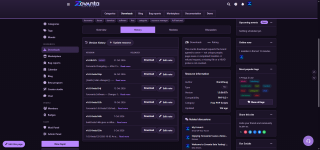
1.0.0-beta.1632026-11-28

Build `beta.163c` — both editions​

  • Editions: Starter installer and PHP port. The staff log was a tail without a handle: the last 150 rows in the starter, the last 40 in the port, no filter and no pages, so on any board that had been up for a while the question an owner actually asks — *what did this moderator do last month, and what changed in the settings before the board broke* — could not be asked. It can now. The whole moderation_log table is readable, filterable by member, action, target, text and date, paged a hundred rows at a time, and headed by the date the log begins.
  • One thing is stated plainly rather than papered over: the log records staff actions and what was done to a member, not ordinary reading and posting, because the board never wrote that down. What a member did on their own time survives as the rows they created — topics, replies, listings — each with its own created_at, so the member panel counts those and therefore reaches back to that account's first post. An action taken before the log's own first row cannot be reconstructed from the core, and the screen says where that line is instead of implying the history is complete.

Added​

  • Every recorded action, not the last page of them. moderation_log_page() in the starter and AdminController::activityPage() in the port count the log, page it (100 rows), and return the table's real bounds — total entries, first and last timestamps — so the screen can say what it holds. The starter's LIMIT 150 and the port's moderationAudit(40) are gone.
  • Filters that ask the owner's question. Member (username or id), action, target type, text in the note, and a from/to date range. The SQL is built by a pure function — moderation_log_where() and ModerationService::activityWhere() — which returns the clause and its bound values, so every value is bound rather than spliced, a date that is not YYYY-MM-DD is dropped rather than compared, and the filters can be asserted without a database.
  • A member filter that answers both directions. Choosing a member returns what they did (actor_id) *and* what was done to them (a row naming them as the user target — a suspension, a verification, a staff note), in one list, because those are the two halves of one question.
  • A member panel in both editions: topics, replies and listings counted from the rows themselves, actions logged by them, actions taken on them, newest topic and newest reply with their ages, and the account's join date and last visit.
  • Page sizes that cannot be dictated by a URL. moderation_log_window() / activityWindow() clamp the page to at least 1 and the size to 10–200, and a page past the end lands on the last page that exists.
  • moderation_action_label() now names the administrator's own actions — settings_saved, screen_action, member_created, member_verified, password_set, newsletter_sent, resource.*, download./marketplace. checkouts and the backup and import actions — so the log reads in sentences instead of raw keys.
  • Thirty admin.activity_* strings in the port (resources/lang/en/messages.php) for the card's filters, its counts, its member panel and its pager.

Changed​

  • The log's heading states its own reach: *log begins <date> · <n> entries*, and *<n> matching · <n> recorded in total*, so a filtered view can never be mistaken for the whole history.
  • The port's activity card (resources/views/admin/moderation.php) is titled *Activity log*, carries its own audit_* parameters so it cannot collide with the queue's type/q, and its pager keeps every filter when it moves.

Fixed​

  • "There is no way to see what an administrator changed." Both editions recorded those actions and then showed only the newest few dozen of them, with no filter — the data was there, the screen was not. It is now reachable from the first row to the last.

Build `beta.163b` — starter​

  • Edition: Starter installer (flat PHP). Pressing Send newsletter now answers the press. A send that queued four hundred messages and a click that was ignored used to look the same: the only reply was the shell's flash at the top of the admin page, and the button was disabled whenever the board's newsletter switch was off — its default on a fresh board — so a click did nothing at all and left the composer exactly as it was.

Added​

  • A result banner on the newsletter screen itself (admin/newsletter.php, #newsletter-result). A send, a bell announcement and a refusal all return to the screen at that anchor with a heading and a detail: what was queued, for which audience, and — when nothing went out — the sentence saying why. newsletter_result_set() / newsletter_result_take() in app/newsletter.php carry it across the redirect; the layout's flash is unchanged for every other screen.
  • A pending state on both forms. The button reads Sending… and the hint under it says the send is under way, so a slow board cannot be mistaken for a dead one; a second press cannot queue the newsletter twice, and the Back button puts the button back.

Changed​

  • The send button is no longer disabled when the newsletter is switched off. The composer says plainly, above the button, that nothing will be sent and how to turn the newsletter on, and the send path's own refusal is what a press gets back.

Fixed​

  • "I pressed Send and nothing happened." The newsletter is off on a fresh board, so the composer's button arrived disabled and every click was swallowed with no visible answer; whether a send had worked was only knowable from the history table. It now answers in place.

Build `beta.163b` — port​

  • Edition: PHP port. The same answer on the port's own screen: NewsletterController::send() and notify() store a result notice the view draws at #newsletter-result, the composer states that a switched-off newsletter will not send instead of disabling the button, and both forms show Sending… while the request is out.

Changed​

  • resources/views/admin/newsletter.php renders the notice above the composer, with newsletter.result_*, newsletter.off_notice and newsletter.sending* strings added to resources/lang/en/messages.php.

Fixed​

  • A port administrator can see whether a send happened without opening the history table or finding the flash above the tab bar.
 
Reacted by:
Top