- Developer
- w1ldjackk
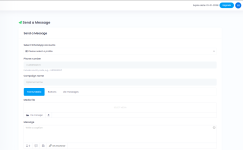
Send WhatsApp message to a single phone number instantly or scheduled.
Here are the step-by-step instructions to upload and unzip a file to the inc\core directory, delete the ZIP file afterward, and execute the SQL command to alter the table:
Note: The IF NOT EXISTS syntax for ADD COLUMN is supported in MySQL 8.0. Before executing, ensure your MySQL version supports this syntax.
Here are the step-by-step instructions to upload and unzip a file to the inc\core directory, delete the ZIP file afterward, and execute the SQL command to alter the table:
Step 1: Upload the ZIP file
- Use your preferred file transfer method (e.g., FTP, cPanel, file manager) to upload the ZIP file to the inc\core directory on your server.
Step 2: Connect to your server
- Access your server via SSH or use a file manager that supports command execution.
Step 3: Navigate to the directory
cd /path/to/your/inc/coreStep 4: Unzip the file
unzip yourfile.zipStep 5: Delete the ZIP file after extraction
rm yourfile.zipStep 6: Run the SQL command
- Connect to your database using your preferred client (phpMyAdmin, MySQL CLI, etc.).
- Execute this SQL statement:
ALTER TABLE sp_whatsapp_schedules
ADD COLUMN IF NOT EXISTS phone_number VARCHAR(20) NULL AFTER caption;
Note: The IF NOT EXISTS syntax for ADD COLUMN is supported in MySQL 8.0. Before executing, ensure your MySQL version supports this syntax.